 Step 01
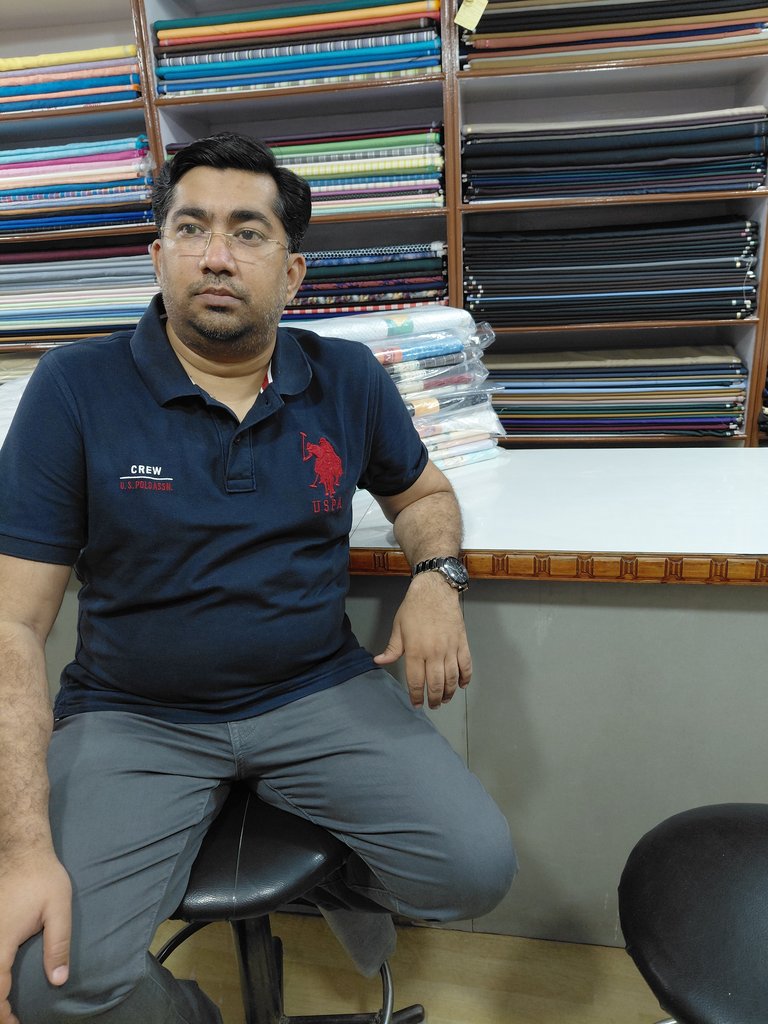
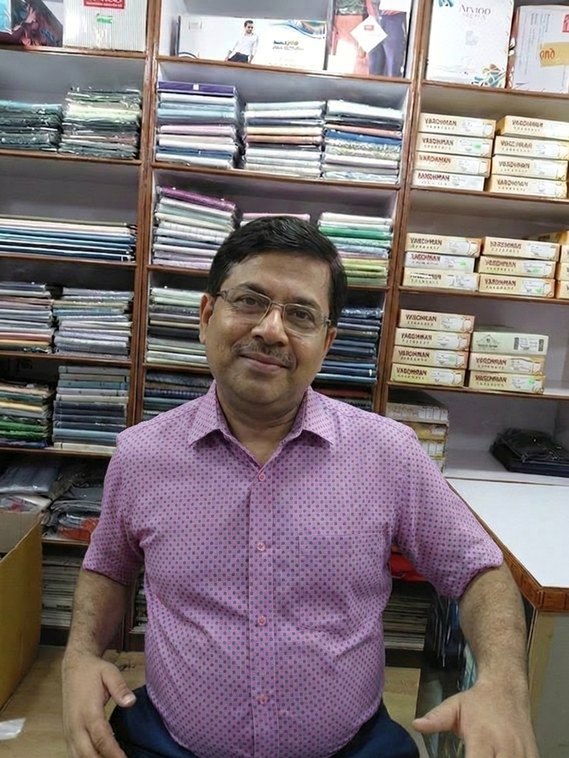
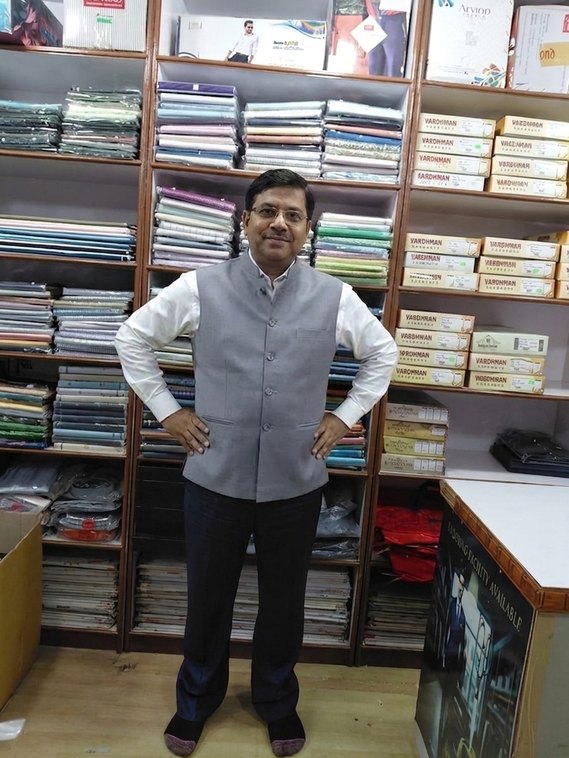
Snap the customer
One clear standing photo from your phone, tablet or counter camera.
AI try-on for fabric showrooms
Your customer picks a cloth. In seconds, he sees himself wearing it as a shirt, kurta, suit, Prince suit, waistcoat or Nehru bandi. He stops imagining — and starts buying.
No app to install. Works on the tablet or phone you already have.
How it works
Your staff need no design skill and no training. If they can click a photo, they can run AI Studio.
Step 01
One clear standing photo from your phone, tablet or counter camera.
 Step 02
Click the selected cloth roll, or select an image from your saved mobile/tablet images.
 Step 03
Shirt, kurta, suit, Prince suit, waistcoat or Nehru bandi — one tap.
 Result
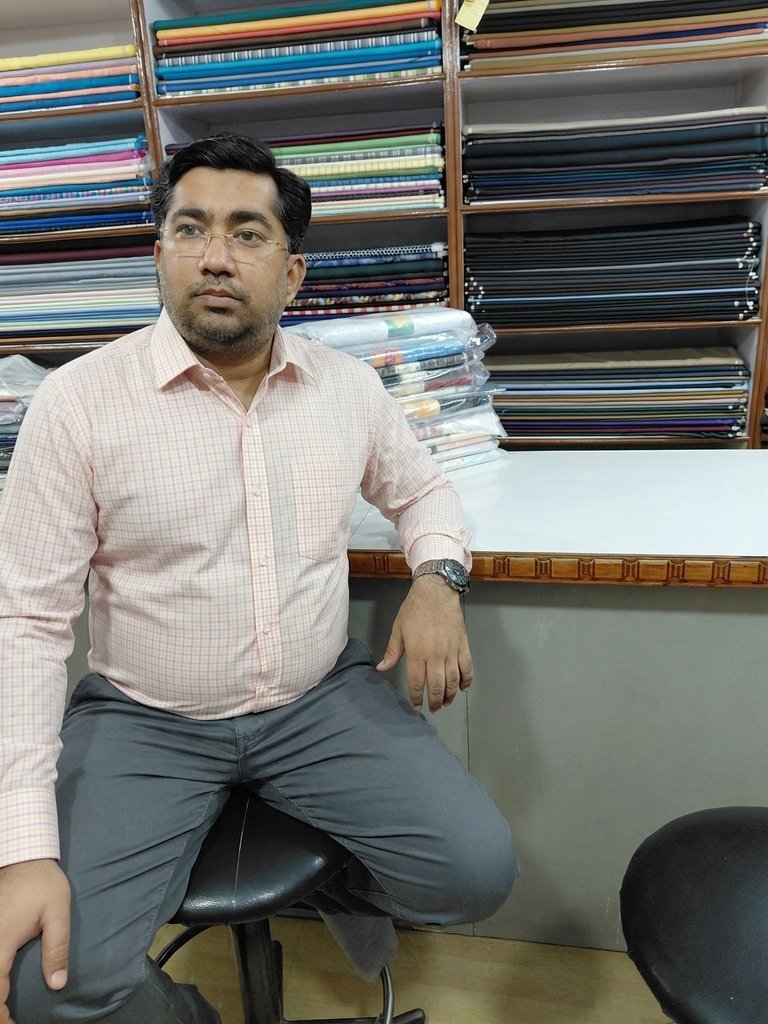
He sees himself in the fabric in seconds. The "maybe" becomes a "yes".
The wow moment
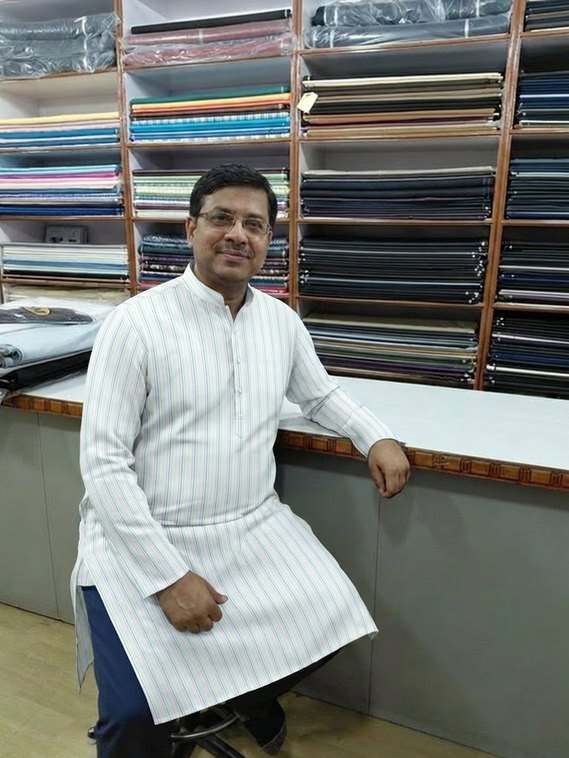
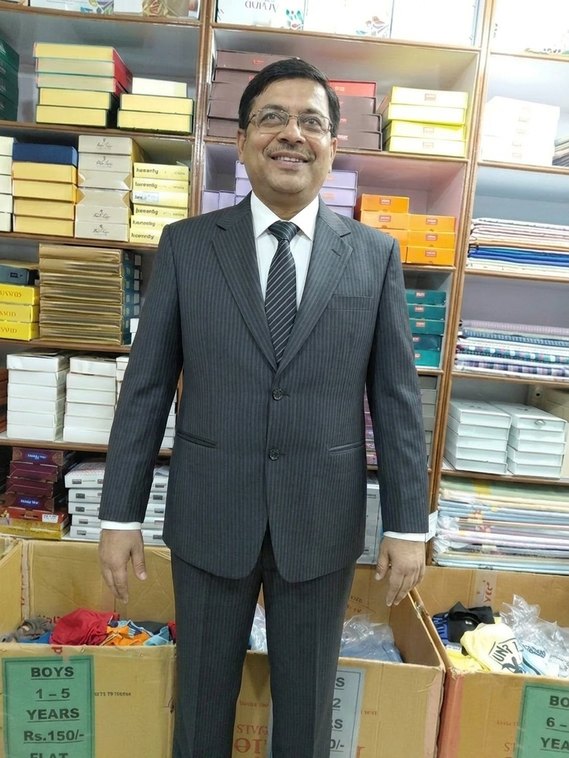
Same customer, same shop — only the fabric and the cut change. Every render below came straight from the Studio.
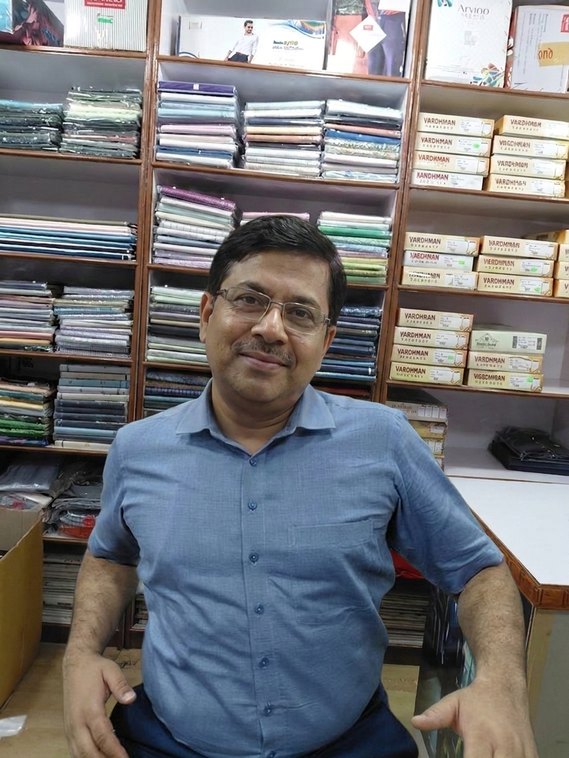
 3 · AI try-on — Full Shirt
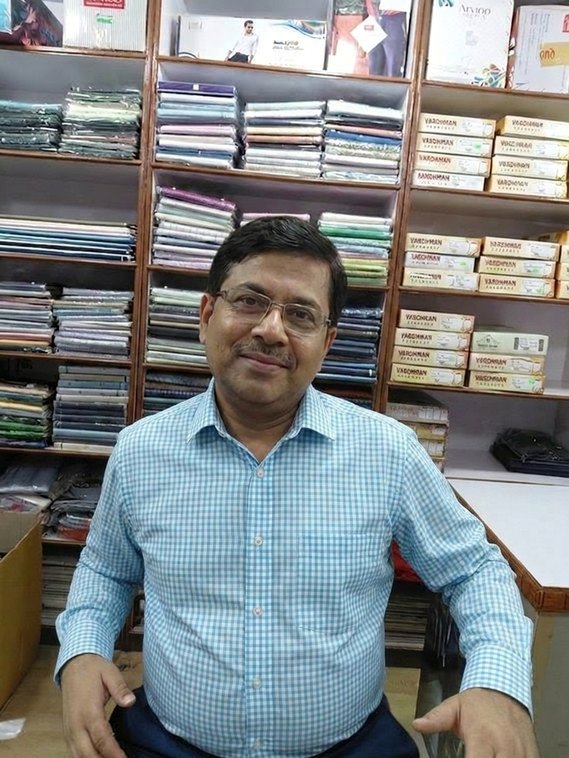
 3 · AI try-on — Half Shirt
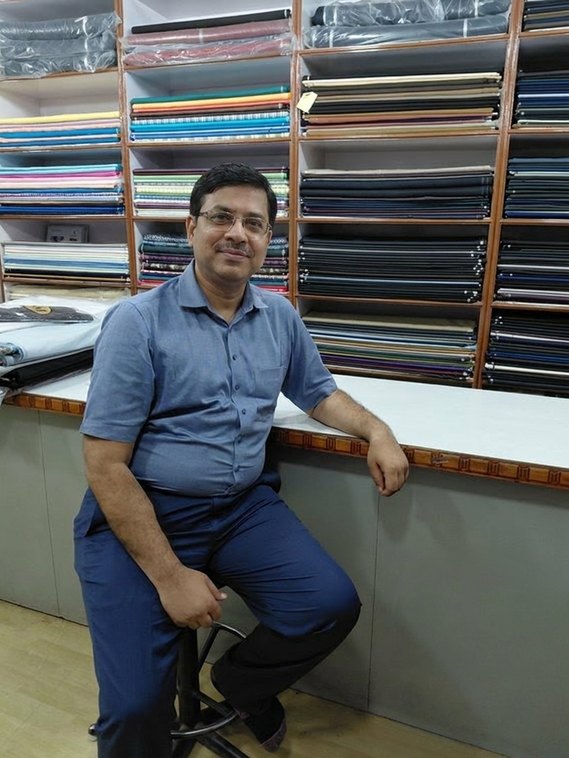
 3 · AI try-on — Kurta
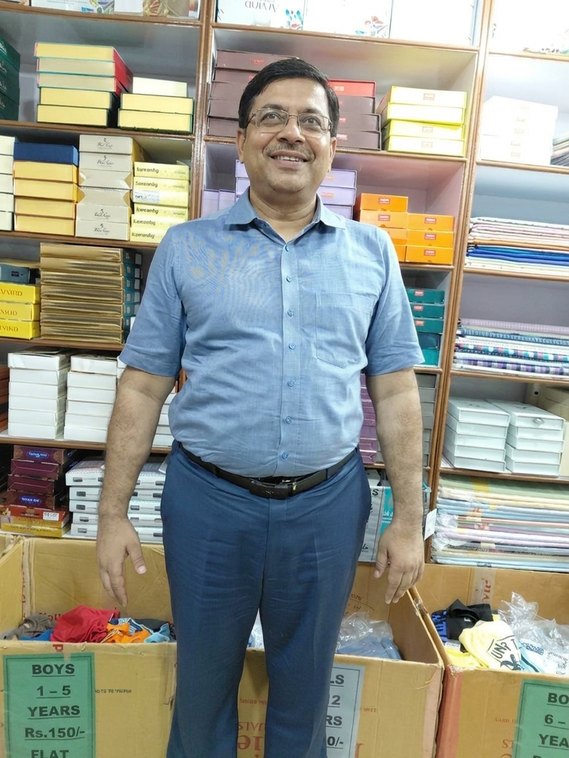
 3 · AI try-on — Suit Full Body
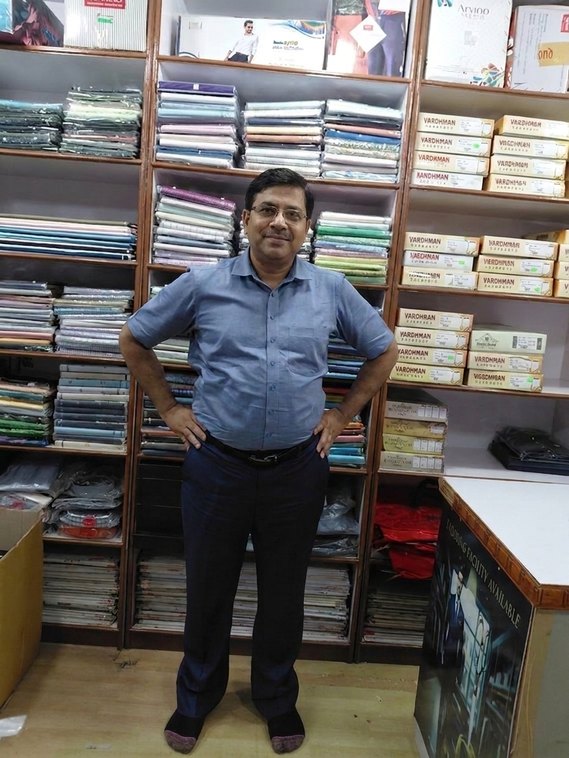
 3 · AI try-on — Open Front Suit
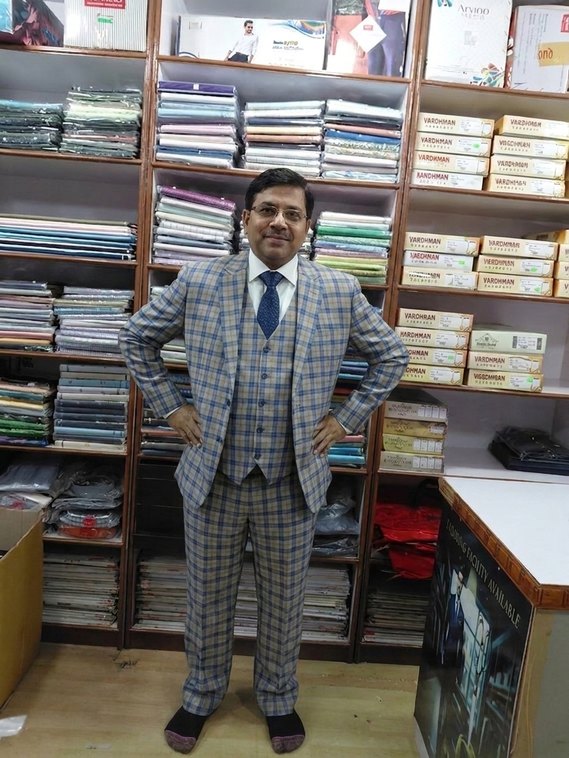
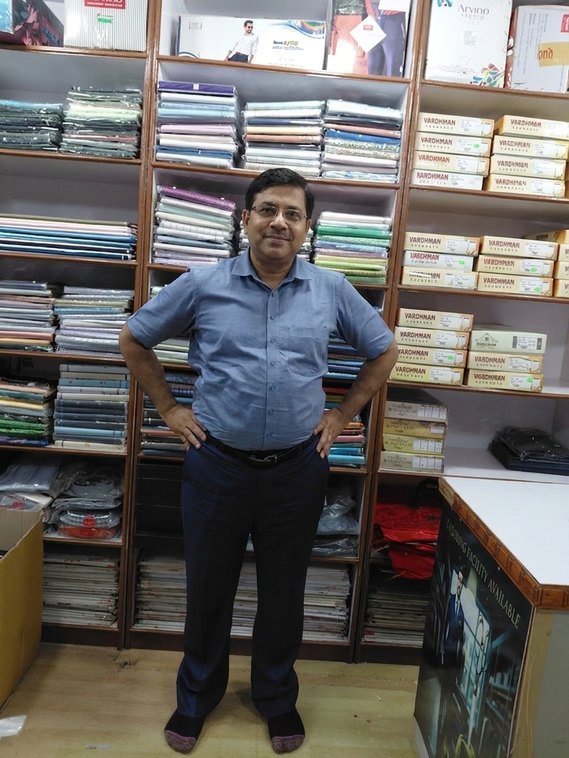
 3 · AI try-on — Waistcoat
Why showrooms keep it
When a customer sees the result, the decision is made on the spot — fewer "let me think and come back" walkouts.
Show a shirt buyer the full three-piece suit or a Prince suit in the same cloth. Bigger tickets, naturally.
The customer agrees on the look before cutting — less "this isn't what I imagined" after stitching.
The shop down the lane shows a fabric roll. You show the customer wearing it. That's the difference they remember.
Watch it work
Short explainer videos will sit here — the full counter flow, the styles, and the owner dashboard. (Coming soon.)
How we run it for you
You get a private dashboard — every shop, every recharge, every image generated, in one view.
Your shop account holds the credit wallet, adds team members, and tops up whenever needed.
Counter staff log in with a simple PIN and run the try-on. Usage is tracked by name and mobile.
Simple, fair pricing
₹15 = 1 credit = 1 try-on image
No monthly fee, no setup cost. Recharge your wallet from your shop dashboard whenever you need — pure pay-as-you-go. Your first 5 images are free.
Start with 5 free credits →Questions
No — it's a realistic preview to help the customer decide. The final stitched garment still depends on fabric fall, measurements, lighting and your tailor's craft. It sells the cloth; it doesn't replace your tailoring.
The photo is used only to generate the preview for that customer. We don't sell or publish customer photos. You keep a simple lead record of name and mobile.
No. Any modern phone or tablet with a camera and internet works. Later, the same flow can power a larger showroom display if you want.
Yes. The studio and this page are available in Hindi and English so your staff and customers are comfortable.
The system preserves the fabric's colour, weave and pattern, with a colour-lock option for tricky showroom lighting. It's built specifically for fabric, not generic photo edits.
Try it on your own fabric
Fill in your details and we'll open a trial Studio for you instantly — five real try-on images on the house. No payment, no installation.
Ready to go all in
₹15 per image · pay as you go
Set up your shop account now, add money to your wallet, and start showing every customer their look. You stay in control — recharge only what you need, when you need it.